
Download Xodo - PDF Reader & Editor – PDF reader, PDF editor, PDF tool, PDF annotation, PDF signature, PDF conversion
Overview
Xodo - PDF Reader & Editor is a comprehensive mobile application designed to streamline PDF management for users across personal and professional contexts. As a single-purpose tool, it addresses the common challenges associated with viewing, editing, and sharing PDF documents on smartphones and tablets. The app caters to a broad audience, including students, remote workers, legal professionals, and anyone who regularly interacts with digital documents. Its core purpose is to deliver a full-featured, reliable, and accessible alternative to desktop-based PDF software, enabling users to manage their documents anytime, anywhere.
The app was developed by Xodo Inc., a company focused on mobile productivity tools. Since its initial release on January 30, 2014, Xodo has evolved into a trusted solution in the digital document space. It supports a wide range of real-world use cases, such as reviewing contracts, annotating academic papers, filling out official forms, and converting documents between formats. Its integration of annotation, editing, and conversion features positions it as a critical utility within the mobile productivity ecosystem. For users seeking a lightweight yet powerful PDF solution, Xodo provides a compelling value proposition, especially given its free availability with optional premium upgrades.
Key Features & Functionality
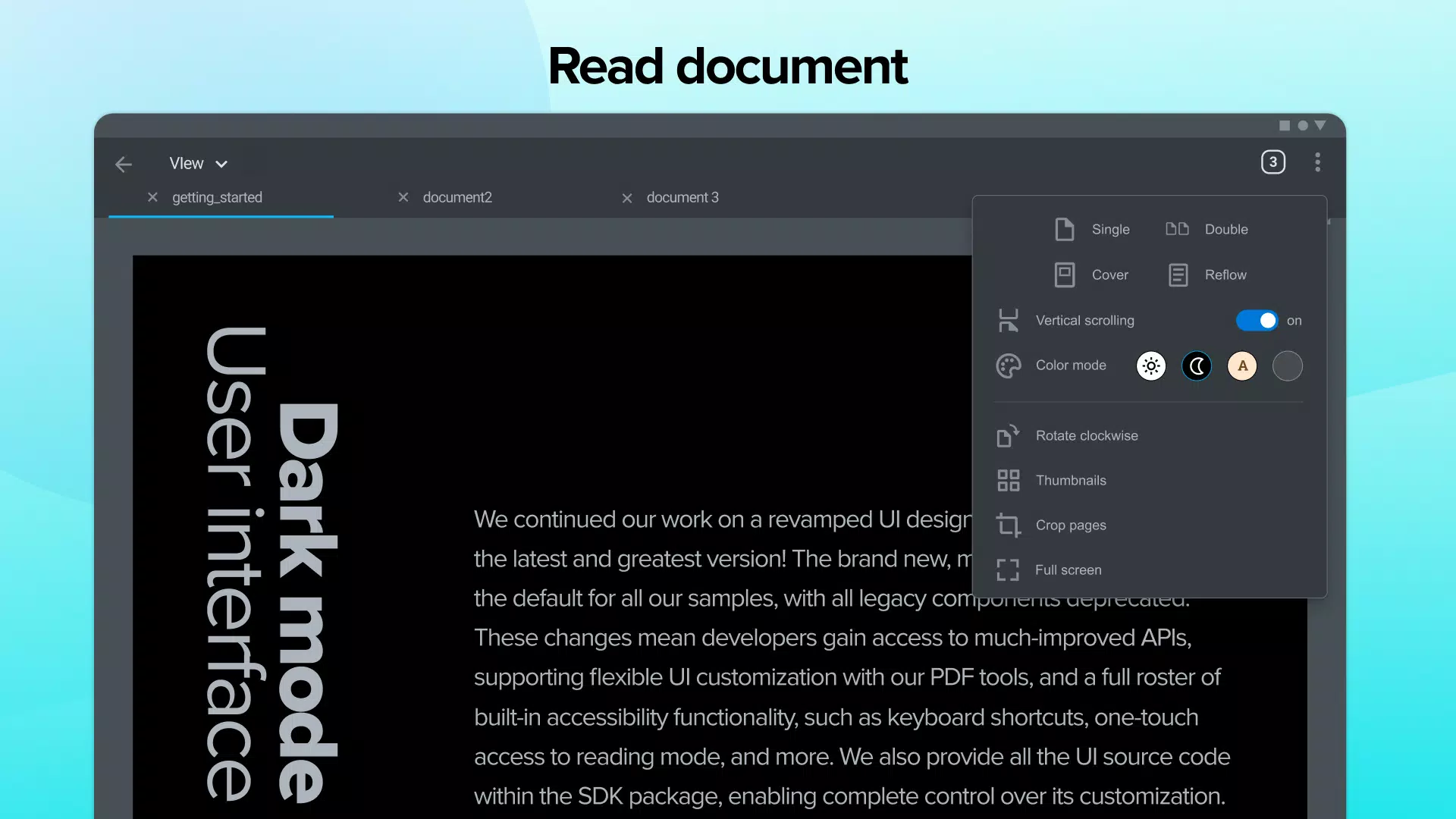
- Robust PDF Viewing: Xodo offers smooth, fast rendering with support for single-page, double-page, and continuous scrolling modes. Users can search text, copy content, and zoom in with precision. The inclusion of Dark Mode enhances readability in low-light settings, while page rotation and text-to-speech functionality improve accessibility and user comfort.
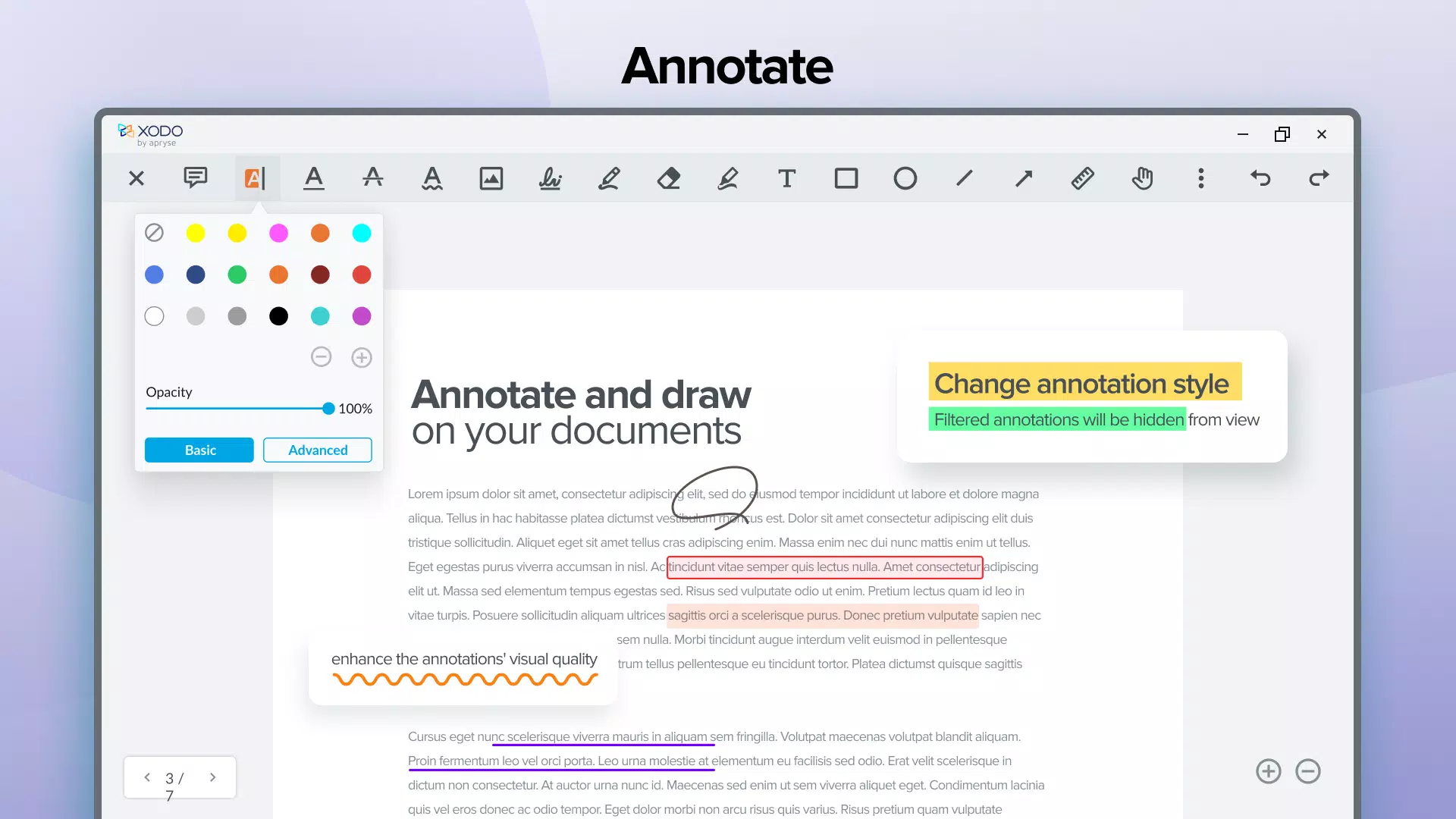
- Extensive Annotation Tools: The app supports a wide range of annotation types, including sticky notes, comments, highlights, underlines, and freehand drawing. A built-in summary feature allows users to quickly review all annotations, making collaborative document review more efficient. Image, page, and text stamps can be added for organizational or branding purposes.
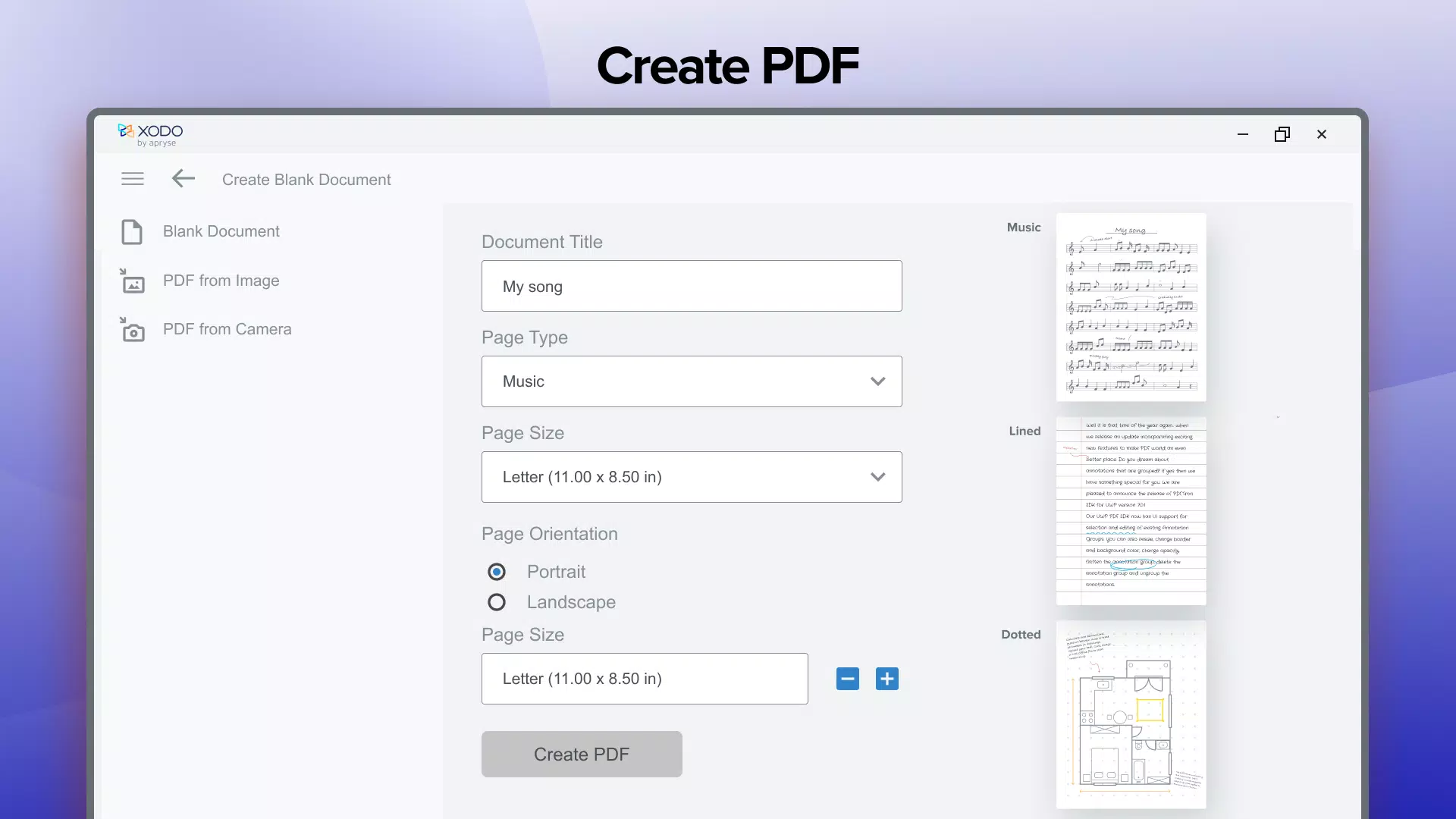
- Comprehensive Editing Capabilities: Users can edit PDFs directly using ink and marker tools. The ability to add, rearrange, or delete pages streamlines document organization. Additional tools such as measuring functions and PDF compression help users optimize file size and precision, particularly in the Pro version.
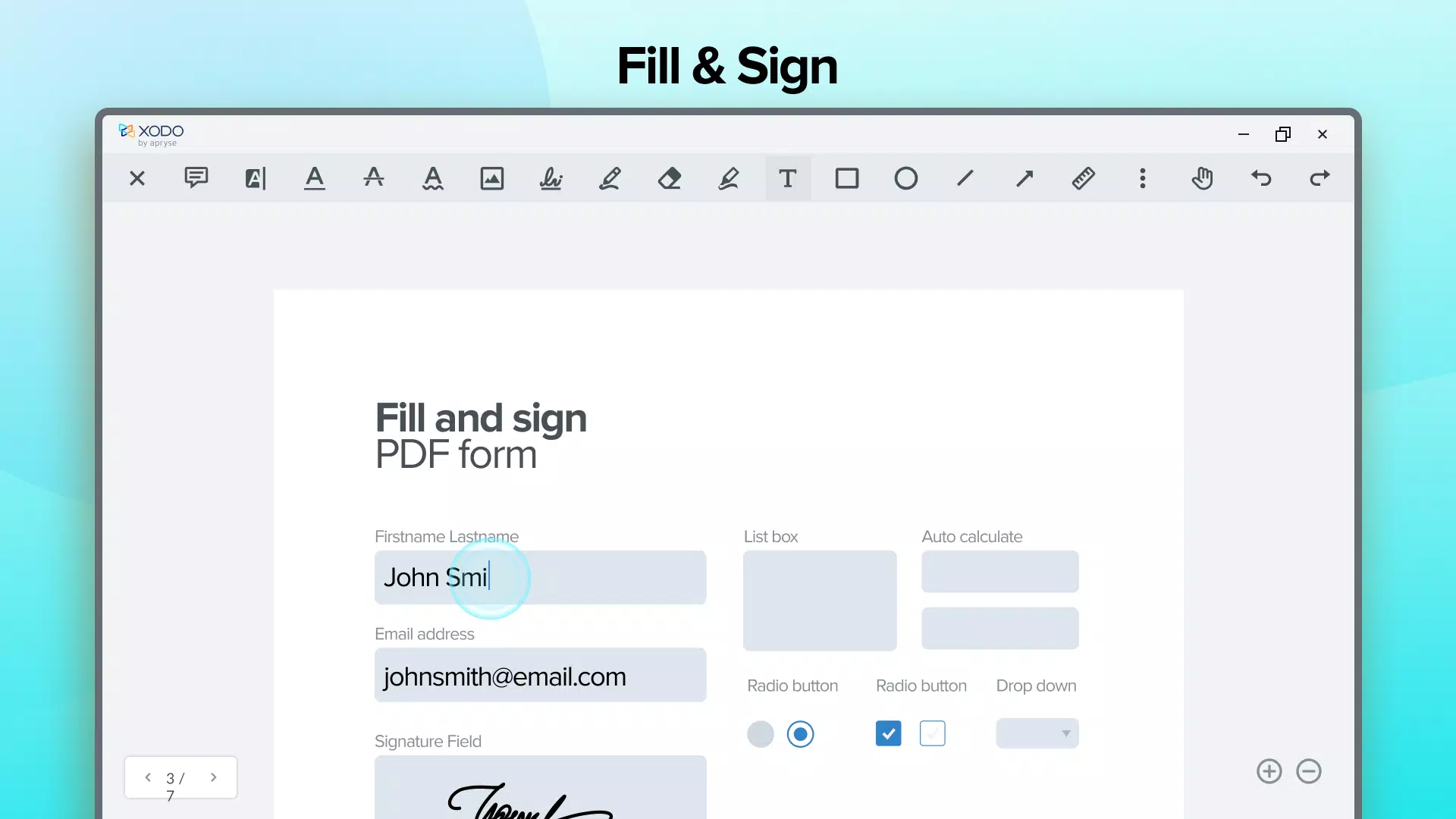
- Secure Signatures and Forms: Xodo enables users to sign documents digitally with customizable signatures. These can be saved for future use, reducing friction in repetitive tasks. The app also supports interactive form filling, making it ideal for professionals handling contracts, applications, or official paperwork.
- Advanced Conversion Options: Xodo allows conversion between PDF and multiple formats, including Word, Excel, PowerPoint, and image files. This functionality supports content repurposing and workflow integration, especially for users who need to edit or share documents across different platforms.
Each feature is designed with real-world usability in mind. For example, a student can annotate a research paper with notes and highlights, while a lawyer can redact sensitive information and sign a contract—all within the same app. The seamless integration of these tools into a single interface enhances productivity and reduces the need for multiple applications.
Interface, UX & Performance
The user interface of Xodo - PDF Reader & Editor is clean, intuitive, and optimized for touch-based navigation. The layout is logically structured, with essential tools accessible via a bottom toolbar and additional options available through context menus. The visual style is minimalistic, focusing on content readability without visual clutter. Navigation is smooth, with fast page transitions and responsive touch feedback.
Users can switch between viewing modes with a single tap, and annotation tools are easily accessible with clear icons and tooltips. The app maintains consistent performance across various device categories, including mid-range and high-end smartphones and tablets. Although the developer did not list formal performance metrics, the app demonstrates stability during extended use, with minimal lag or crashes reported in typical workflows.
Responsiveness is strong, even when handling large PDF files. The app efficiently manages memory usage, ensuring smooth operation without excessive battery drain. For users managing multiple documents, the recent files list and document organization features contribute to a seamless experience. Overall, Xodo delivers a polished and reliable UX that aligns with modern mobile standards.
Platform Compatibility & Technical Requirements
Xodo - PDF Reader & Editor is available on both Android and iOS platforms, offering broad accessibility across major mobile ecosystems. The current version is 2.2.2, with a file size of 45.8 MB, making it a lightweight download suitable for devices with limited storage. The app is free to download and use, with optional in-app subscriptions for advanced features.
The developer did not specify minimum OS requirements or detailed technical specifications. Compatibility information was not fully disclosed, and specific hardware requirements were not listed. Users should ensure their device meets general system standards for running modern mobile applications. The app supports both smartphones and tablets, though exact screen size or resolution compatibility was not provided.
Pros and Cons
Pros
- Free to download and use with core features available at no cost
- Comprehensive set of tools for viewing, annotating, editing, and converting PDFs
- Intuitive, user-friendly interface with smooth navigation
- Supports both Android and iOS platforms
- Efficient performance with low memory and storage footprint
- Offers secure digital signatures and form filling capabilities
Cons
- Advanced editing and conversion features require a subscription
- Developer did not disclose minimum OS or hardware requirements
- Some users may find the Pro version pricing restrictive
- Limited customization options for annotation tools
- Compatibility with older devices was not confirmed
FAQ
Is Xodo - PDF Reader & Editor safe to download?
Yes, Xodo is a legitimate mobile application developed by Xodo Inc. It is available through official app stores and does not require root or jailbreak access.
Can I use Xodo on both Android and iOS devices?
Yes, Xodo is available on both Android and iOS platforms, allowing users to access their documents across different ecosystems.
Are there any ads in the free version?
The developer did not disclose ad policies. However, the free version includes core functionality without visible advertisements in standard usage.
How do I update Xodo to the latest version?
Updates are automatically available through the Google Play Store or Apple App Store. Users should ensure their app store accounts are enabled for automatic updates.
Can I edit text directly in a PDF with Xodo?
While Xodo allows editing through drawing and markup tools, direct text editing is not supported. Users can add annotations or use the Pro version for advanced editing features.
Final Thoughts
Xodo - PDF Reader & Editor stands out as a powerful, versatile, and accessible tool for managing digital documents on mobile devices. Its blend of robust features—ranging from annotation and form filling to conversion and secure signing—makes it a top choice for professionals and casual users alike. The app delivers a professional-grade experience without compromising usability, and its free model lowers the barrier to entry for essential PDF management.
While some advanced tools are locked behind a subscription, the core functionality remains fully capable and reliable. For anyone who frequently works with PDFs, Xodo offers a seamless, efficient workflow that enhances productivity across personal and professional tasks. Whether you're reviewing a contract, studying a textbook, or preparing a presentation, this app is a must-have utility.
Download Xodo - PDF Reader & Editor now


